
Introduction to Assets
Assets
An Asset represents any piece of creative work you are developing within the platform.
Examples of Assets
Section titled “Examples of Assets”Some common examples of assets include:
- Song: A musical track.
- Score: Written music for performances.
- Performance: A recorded live show.
- Composition: Original music created by you.
- Soundtrack: Music made for movies or games.
- Jingle: Short music for advertisements.
- Podcast Episode: An audio segment of a podcast.
Activities You Can Do with Assets
Section titled “Activities You Can Do with Assets”You can perform various Activities related to your assets. Here are some of them:
- Player: Listen to your assets.
- Versions: Manage different versions of your work.
- Attachments: Add extra files related to your asset.
- Submission Boxes: Collect files from others.
- Splits: Define ownership shares among contributors.
- Shares: Share your assets with others.
- History: View the history of changes made to your asset.
- Storage: Manage where your assets are stored.
Visual Examples of Setting Up Aliada Create
Section titled “Visual Examples of Setting Up Aliada Create”Here are some visual examples of how to set up Aliada Create:
As an Artist
Section titled “As an Artist”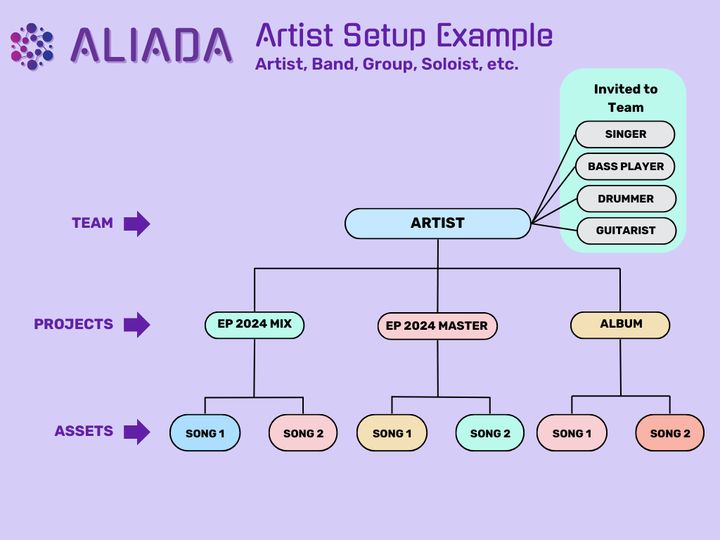
As an Engineer
Section titled “As an Engineer”